
Be efficient
Import presets, samples or MIDI once, then drag them back when you need them, without loading a plugin first. SoundBuddy kept watching your DAW folders, so new content showed up by itself.
SoundBuddy was a Windows app that kept the samples, presets and MIDI of your digital audio workstation in one searchable place, and let you drag them straight back into your project. I built it with my friend Ids Portinga.
The story
Every music producer knows the moment. You're inspired, you know the sound you want, and then you lose your evening clicking through plugin browsers. I produce trance myself, and I kept running into exactly that. So I started building an application to manage the audio files for my own DAW.
Ids Portinga and I had been friends since our computer science days, and we had always talked about starting a company of our own. Once we saw that the whole production community could use a good answer to this problem, we had our reason. We founded Dutch Tigers Software, with the tagline it bytes a bit, and SoundBuddy became our first product.
We launched it in June 2022: a free trial, then a subscription or a perpetual license, on three devices per license. We kept improving it, lowered the price and extended the trial to 30 days.
Due to personal circumstances, we eventually stopped working on it.
What it did
Import presets, samples or MIDI once, then drag them back when you need them, without loading a plugin first. SoundBuddy kept watching your DAW folders, so new content showed up by itself.

Search by name, tag or rating across every plugin. Tags were suggested from the file names during import, and backup and restore kept all that work safe.

The randomizer turned up presets and samples you didn't even know you owned. And you could listen to your content right there in the app.
Screens
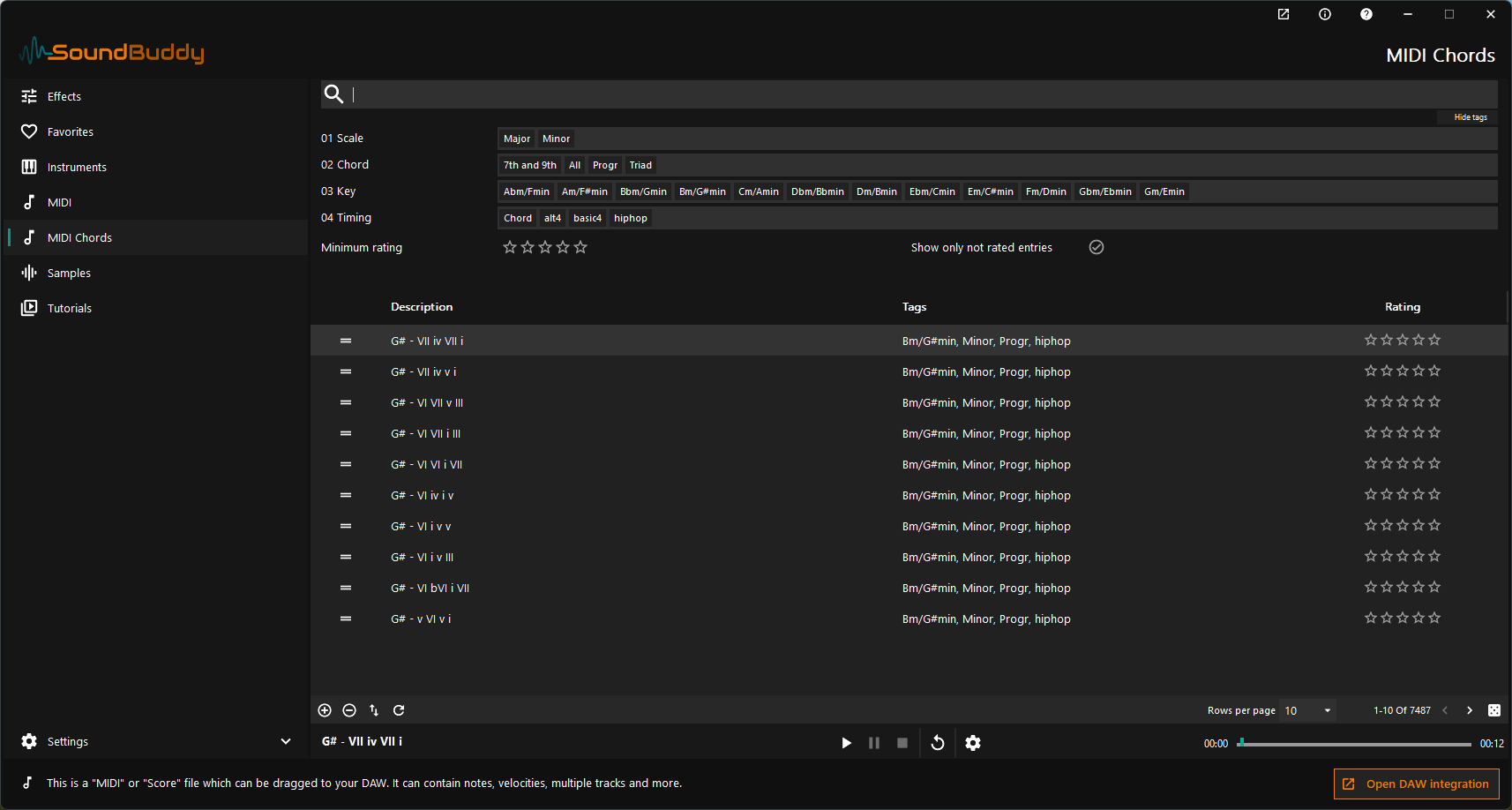
The MIDI Chords library. Filter on tags and rating, listen right away, and drag what you like into your project.
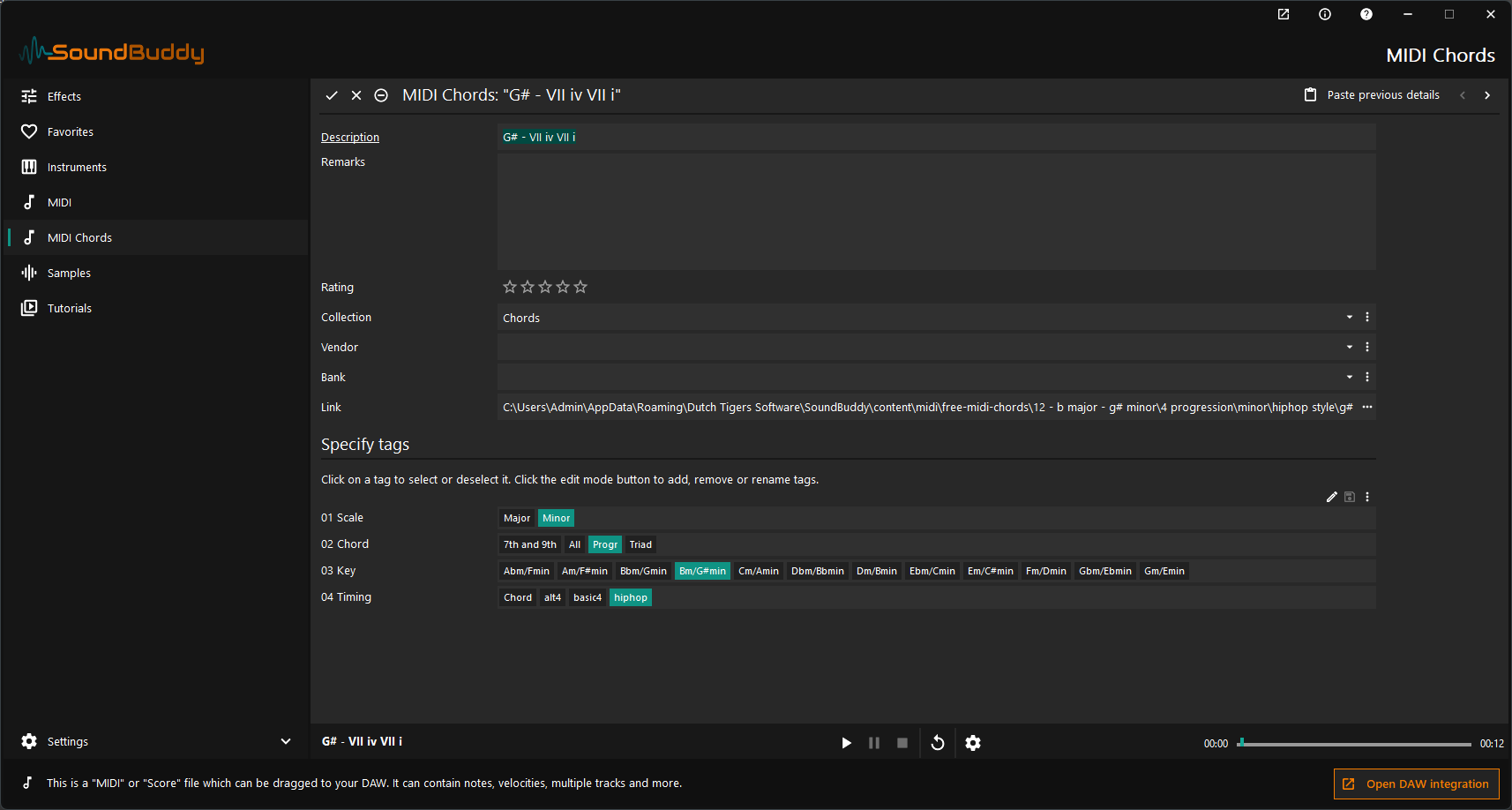
Every item could get a rating, a collection, a vendor and a bank, plus tags you could rename and extend yourself.
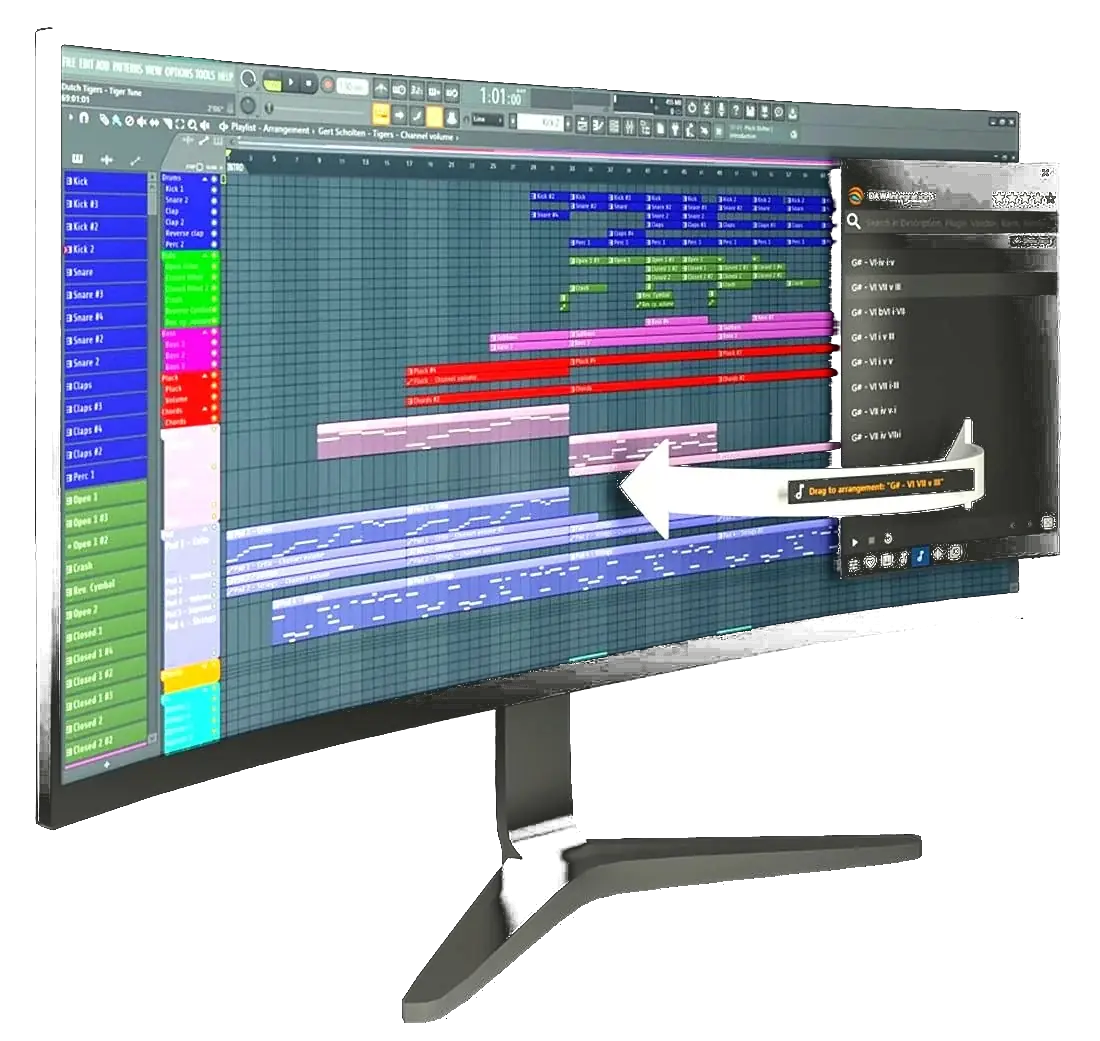
The DAW Integration window stayed on top of your screen. Here, an instrument preset is saved from FL Studio into SoundBuddy. A clip from the built-in help.
Compatibility
Each DAW handles files differently, so each got its own integration. Choose one to see what SoundBuddy could do with it.
Under the hood
Written in Delphi as a native Windows application, with about 22,000 handwritten lines on top of generated data and business layers, our own UI framework and a local SQLite database. It had to feel instant while searching through thousands of items, and stay out of the way next to a running DAW.
We also built everything needed to sell it ourselves: accounts, licenses for up to three devices, subscriptions with automatic renewal, VAT per country and payments, deployed with Docker and covered by automated tests in CI.
The chord library builds on Free MIDI Chords, a collection released under the MIT license.
Made with SoundBuddy
Our promo video showed the DAW Integration window in action by composing a track for the company in FL Studio. This is the result.
What's next
SoundBuddy is no longer on sale or in development. Even so, it still lingers in the Windows Store and people keep downloading it every month. The source is still here and producers still lose their evenings in plugin browsers, so perhaps I'll give it another go someday. Would you use it? I'd like to hear from you.
Let me know